 Wainscot
Pay once. No bank login. Your budget stays on this device.
Name a budget, type today’s balance, and give every dollar a job. Works in the browser and on your phone’s home screen.
Try it free for 34 days See how it works
No account. No bank login. $29 once if you want the full app.
Three promises
Pay once
34 days free, with no card. After that, a simple budget still works. $29 once unlocks the full app. No subscription. One unlock covers the site and the phone home-screen app.
No bank login
We never ask for a bank password. Import a bank file if you want a head start, or type transactions yourself.
Your file, your device
Your budget lives in a file on this device. Nothing is stored on our side. Export a backup whenever you need one.
How it works
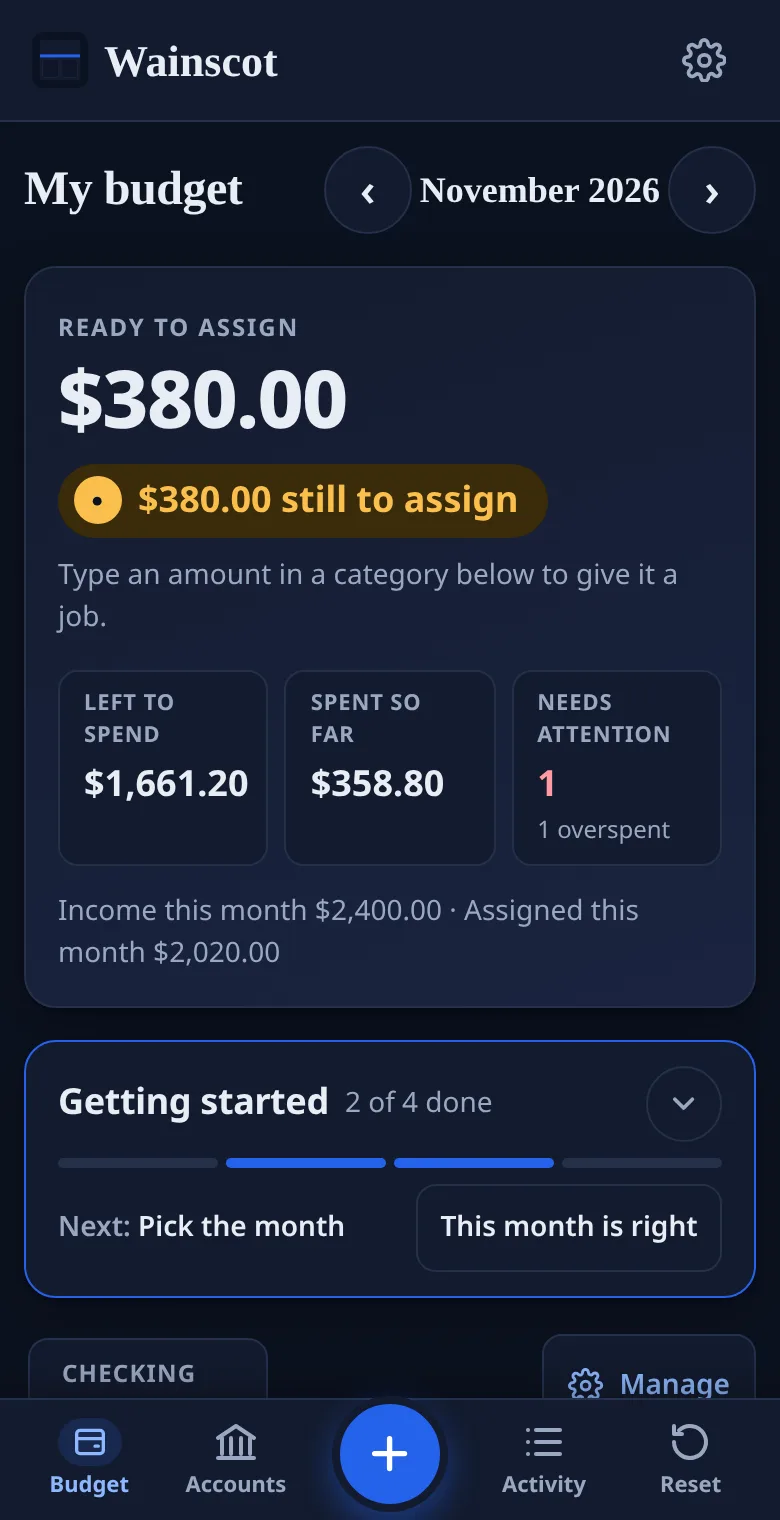
Name your budget
Add today’s balance — or skip and start empty.
Give every dollar a job
Split that money into envelopes (categories).
Log spending
Watch what’s left. A weekly money reset helps you catch up and move money if a category runs short.
Your data stays on this device
Everything lives in this browser on this device. No account, no cloud sync, no bank connection, and no analytics. Import a CSV, OFX, or QFX file you already have — it is read here and is not uploaded to us. Export everything anytime. An optional PIN is a privacy screen on this device, not encryption.
Add it to your iPhone or Android
Open Wainscot in your phone’s browser and add it to your home screen. It works offline after the first visit. It is not in the App Store or Google Play.
iPhone or iPad (Safari)
- Open the app in Safari.
- Tap the Share button.
- Choose Add to Home Screen, then tap Add.
Android (Chrome)
- Open the app in Chrome.
- Tap the menu (three dots).
- Choose Install app (or Add to Home screen).
34 days free, then a simple budget still works
Try every feature for 34 days, with no card. After that, you keep a usable simple mode — Income, Bills, Everyday, and Savings — and you can export anytime. $29 once unlocks unlimited categories, groups, and sinking funds. Never auto-billed.
Who it’s for
- People leaving a subscription budget app
- People who will not type a bank password into a budget app
- People who want envelope budgeting in the browser or on a phone home screen
Questions
Do I have to create an account?
No. There is no account and no sign-in.
Does this connect to my bank?
No. That is on purpose. You can type transactions, or import a CSV, OFX, or QFX file your bank already lets you download. The file is read on your device and is not uploaded to us.
Is this a subscription?
No. You can try every feature for 34 days, with no card. After that, a simple budget still works. $29 once unlocks unlimited categories, groups, and sinking funds.
What happens when the trial ends if I don’t pay?
The app does not lock you out. You keep a usable simple mode — Income, Bills, Everyday, and Savings — and you can export anytime. Pay $29 once if you want unlimited categories, groups, and sinking funds.
Can I use it on my phone?
Yes. Open the site in your phone’s browser and add it to your home screen. It is not in the App Store or Google Play yet.
Where is my data stored?
On this device, in this browser. Clearing the site data deletes it, so keep a backup file. We do not collect your name, email, or transactions.
Is this like YNAB?
It uses the same envelope idea — every dollar gets a job — but there is no yearly subscription, no account, and no bank login. Categories and leftover money roll forward. You can import a YNAB register export if you are switching.
What if I get a new phone or computer?
Export a backup from Settings and restore it on the new device. If you have a license key, it is included in that backup and can also be pasted on the new device.
Ready when you are
No account. No bank login. $29 once if you want the full app.